爱普生Epson Perfection V600 Photo for win7/8/10 32bit
扫描双面印刷的文档时,背面的文字会透射到正面,如何处理?
一、现象描述:
我们在日常工作中有时需要扫描报纸、半透明双面文稿等材料。纸张背面的文字常常会透射到正面,影响扫描效果。
二、原因分析:
因为使用的纸张较薄,背面文字颜色较深,影响正面扫描。
三、解决方法:
可以在文稿上方盖一张黑纸再扫描。
如果是扫描黑白文件也可以在自动文稿类型中选择“文稿”,图像类型选择“黑白”再扫描。

调整前

调整后
-
雷柏最早是做鼠标键盘的,大家都知道的,现在也开始做其他游戏外设了,这不最近又推出游戏手柄,有不少喜欢玩游戏的小伙伴特别想知道雷柏v600手柄怎么连switch,感兴趣的一起看下去吧! 1、开机进入switch主界面,选择设置旁边的手柄图标,点击进入。 2、跳转界面后,选择更改握法/顺序。 3、按住Y键不松手,再按住home键(

-
雷柏V600S 无线振动游戏手柄,安卓/电脑/智能电视/PS3均可使用,为我们带来了极好的游戏体验。作为一款无线游戏手柄,是需要充电使用的,那么怎么查看其剩余电量以及冲了多少电呢?今日小编就来为大家解答疑惑 我们无法直接向看手机电量一样查看手柄的电量情况 但是可以通过相关的指示灯判断哦 灯光恒亮:连接使用中或已充
-
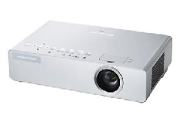
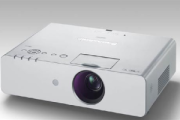
松下ptx600如何倒换位置呢?开启投影发现画面是倒着的,怎样操作才可以将画面倒过来呢?(不动机器的情况下)想必很多小伙伴都遇到这样的疑惑吧!今日小编我就来为大家解答疑惑 投影机图像变成倒着的,那是因为投影机之前是吊装使用,现在换成桌面正投,就需要将画面倒过来,总不能机器还倒着放吧 要在菜单中选择投影机的安
-
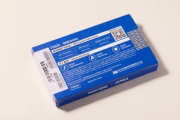
国产固态硬盘代表品牌致态推出了一款全新PCIe4.0产品,致态Ti600。既然如此的话,我们一定要抢先来了解一下,到底致态ti600怎么样?有哪些过人之处呢? 致态Ti600采用长江存储原厂颗粒,定位入门级,读取速度最高可达7000MB/s,它也是致态首款Ti系列新品。由于是全新系列,致态 Ti600 的包装重新设计,封皮换成了海蓝色,图
-
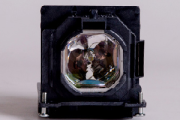
松下ptx600灯泡在没有暴力使用的情况下,寿命大概可以坚持多久呢?一般的灯泡都是有使用寿命的,到了时间就需要更换,不然投影效果会大打折扣或者直接无法投影 松下投影机灯泡寿命一般可以用3999个小时左右 但是很多时候会因为暴力使用,不恰当的使用方法,大大减少灯泡寿命 另外好好维护的话,坚持的时间也会久一点,这个
-
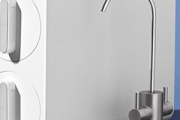
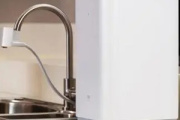
小米净水器是非常受大家的欢迎的,以下内容是小编为大家带来的小米净水器600g安装方法,感兴趣的小伙伴们可以了解一下,希望 可以帮助到大家。 第一步,确认厨房水龙头是否匹配 第二步,拆卸起泡器和安装转接头 第三步,拆卸来的内外螺纹起泡器对比 拆下起泡器后,从配件盒中选一个适合的转接头(配件盒内有6个转接头) 内螺
-
小米净水器滤芯寿命快到时,净水器上对应的数字指示灯会亮起,APP中也会有提醒,此时,滤芯就需要更换了,那么小米净水器600g怎样更换滤芯呢?一起看下去吧! 1、购买滤芯。我们可以通过登陆www.mi.com、在小米智能家庭客户端APP、或扫描滤芯上的二维码进行购买更换。 2、更换。首先关闭主机,2分钟后可以去除旧的滤芯。然
-
松下ptx600投影机怎么翻转图像呢?开启投影后发现画面是倒着的,根本就无法观看嘛,怎样才可以将画面翻转过来呢?这也是大家都在咨询的一个问题,今日小编我就来为大家解答疑惑 出现这个情况,很大可能是机器原先是吊装使用,现在换成了桌面正投,因此刚一开机就发现图像成了倒着的画面。 我们只需要在菜单中选择投影机的安
-
耳机是每一个小伙伴们必备的东西之一,今天小编来教教大家索尼wi-sp600n怎么连接电脑,感兴趣的小伙伴们可以了解一下,希望可以帮助到大家。 使电脑从睡眠模式恢复。 依次单击[Start]按钮和[Settings]。 单击[Devices]。 单击[Bluetooth]选项卡,然后单击[Bluetooth]按钮,打开BLUETOOTH功能。 选择[WI-SP600N],然后单击[P
-
小米净水器是很受大家的欢迎的,以下内容是小编为大家带来的小米净水器600g更换滤芯时间,感兴趣的小伙伴们可以了解一下,希望可以帮助到大家。 最细的pp棉滤芯3到6个月更换;两个活性炭滤芯6月到1年更换;ro反渗透滤芯两年换一次。
-
松下ptx600投影机怎么设置背投呢?背投时投影机与观众在屏幕的两侧,怎样操作就可以使观众看到端正无偏差的投屏效果呢?想必还有很多小伙伴还不会整呢吧!那不妨来看看下面的方法吧 注意:选择背投方式要配合专用的背投幕布,一般用软幕、灰幕去投 然后在遥控器menu菜单,找装置设置,选择背投模式即可
-
小米净水器600g卡销是干嘛的?这个问题是很多小伙伴们都非常好奇的,今天小编就来为大家解答,感兴趣的小伙伴们可以了解一下。 卡销的作用就是防止二分接口按下去